Add loads in 3D
It’s passed a list of dictionaries. There are two options for add loads:
Add loads by column
Add loads by coordinate
Hint
It’s possible combine and use both options.
Meaning of arrow direction
Entering the node
Coming out of the node
The applied load is positive
The applied load is negative
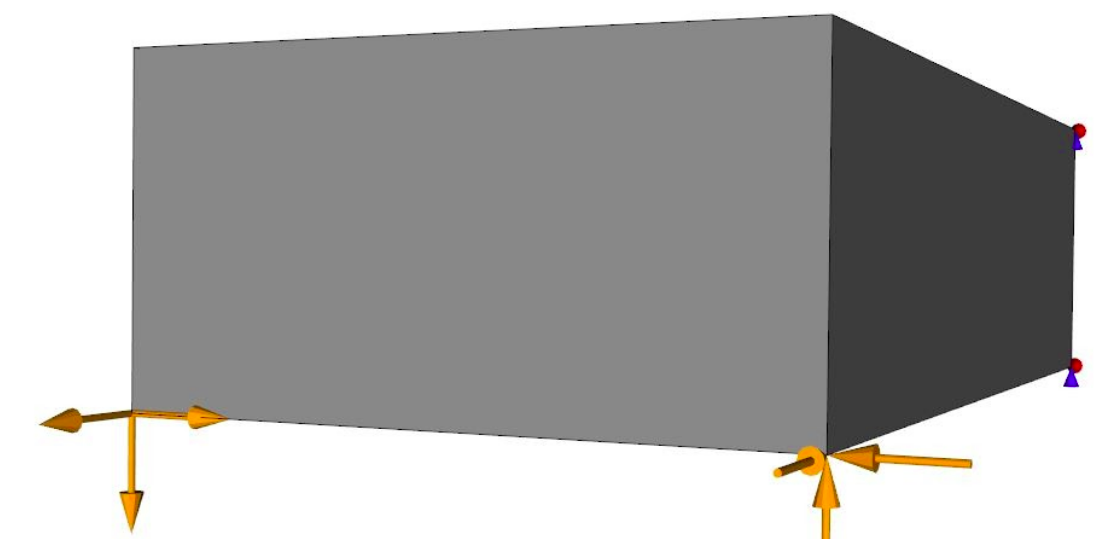
Figure 7: Meaning of arrow direction.
Add loads by coordinate
The dictionary has the following keys:
“x_coord”: coordinate in X-axis.
“y_coord”: coordinate in Y-axis.
“z_coord”: coordinate in Z-axis.
- “x_direc”: indicates if is applied a load in X-direction.
If 1 indicates that the load is applied in the negative direction of the X-direction.
If 1 indicates that the load is applied in the positive direction of the X-direction.
If 0 indicates that no load is applied in the X-direction.
- “y_direc”: indicates if is applied a load in Y-direction.
If 1 indicates that the load is applied in the negative direction of the Y-direction.
If 1 indicates that the load is applied in the positive direction of the Y-direction.
If 0 indicates that no load is applied in the Y-direction.
- “z_direc”: indicates if is applied a load in Z-direction.
If 1 indicates that the load is applied in the negative direction of the Z-direction.
If 1 indicates that the load is applied in the positive direction of the Z-direction.
If 0 indicates that no load is applied in the Z-direction.
“force”: The module of the load in Newton.
In the Figure 8 two loads are applied in the mesh (lx = 1, ly = 0.5, lz = 1):
A negative force of modulus 100 N is applied in the Z-direction to the node at coordinate (1, 0.5, 1).
A positive force of modulus 100 N is applied in the X-direction to the node at coordinate (1, 0, 1).
In Python language:
load_matrix = [{"x_coord":1, "y_coord":0.5, "z_coord":1, "x_direc":0, "y_direc":0, "z_direc":-1, "force":100},\
               {"x_coord":1, "y_coord":0, "z_coord":1, "x_direc":0, "y_direc":1, "z_direc":0, "force":100}]
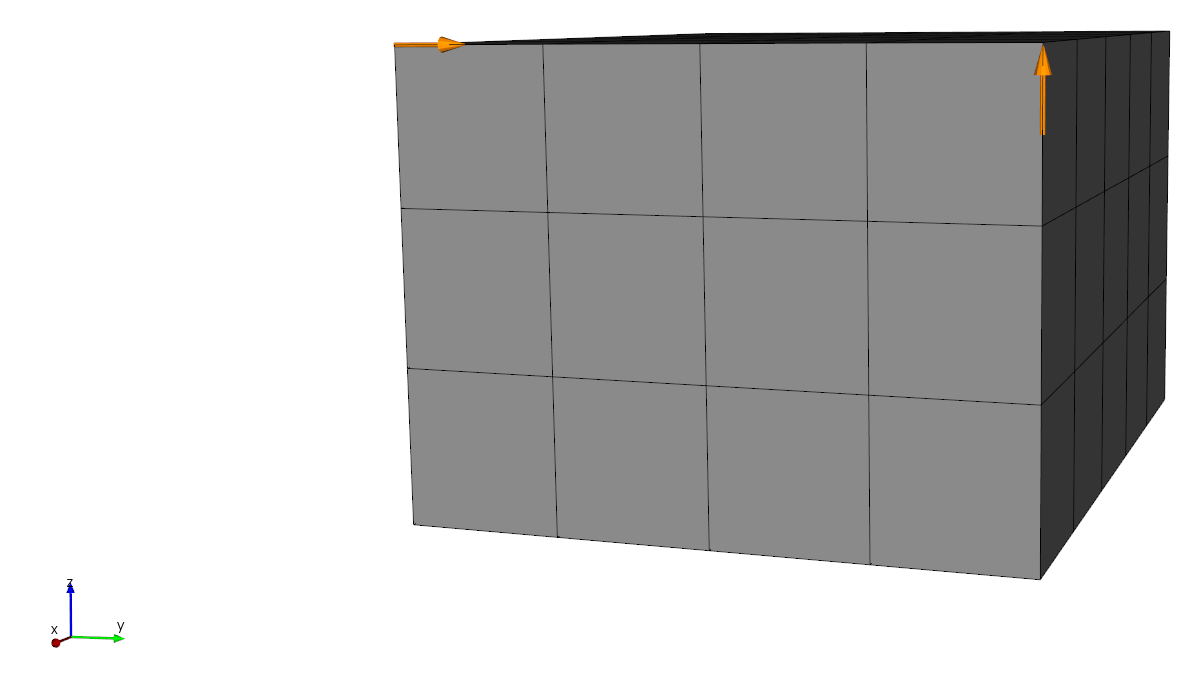
Figure 8: 3D mesh with load applied by coordinate.
Add loads by column
The dictionary has the following keys:
“coord”: Coordinate.
“axis”: Direction that the load is applied. It can be: 1 (X-Axis), 2 (Y-Axis) or 3 (Z-Axis).
“eps”: Margin of error.
- “x_direc”: indicates if is applied a load in X-direction.
If 1 indicates that the load is applied in the negative direction of the X-direction.
If 1 indicates that the load is applied in the positive direction of the X-direction.
If 0 indicates that no load is applied in the X-direction.
- “y_direc”: indicates if is applied a load in Y-direction.
If 1 indicates that the load is applied in the negative direction of the Y-direction.
If 1 indicates that the load is applied in the positive direction of the Y-direction.
If 0 indicates that no load is applied in the Y-direction.
- “z_direc”: indicates if is applied a load in Z-direction.
If 1 indicates that the load is applied in the negative direction of the Z-direction.
If 1 indicates that the load is applied in the positive direction of the Z-direction.
If 0 indicates that no load is applied in the Z-direction.
“force”: The module of the load in Newton.
In the Figure 9, it’s applied a negative load in Z-direction to all nodes with X = 0.5. In Python language:
load_matrix = [{"coord":0.5, "axis":1, "eps":0.001, "x_direc":0, "y_direc":0, "z_direc":1, "force":100}]
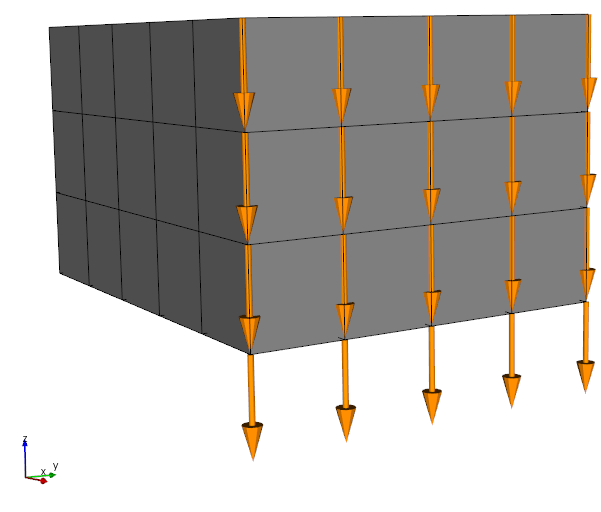
Figure 9: 3D mesh (lx = 0.5, ly = 0.4 and lz = 0.3) with load applied by column.